
There are upcoming maintenance events which may impact our services. Learn more
Dev License: This installation of WHMCS is running under a Development License and is not authorized to be used for production use. Please report any cases of abuse to [email protected]

Domain - DNS Management Print

  • 278

To adjust your domains DNS, please follow these instructions: -

Login to https://my.movaci.com

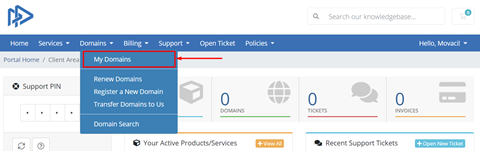
1.Click "Domains"

2.Click "My Domains"
3.Select the domain you would like to manage (e.g. fortune-ro.com)

4.Select "DNS Management" on the left pane

5.Enter your DNS records
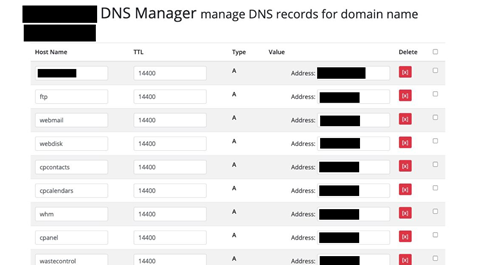
6.Click Save Change.


Was this answer helpful?

« Back

Powered by WHMCompleteSolution