These instructions will guide you on how Allow Movaci Quick support client permissions on your Mac
Pre-requisites: Please make sure that your Security & Privacy is set to Allow apps downloaded from the "App Store and identified developers".
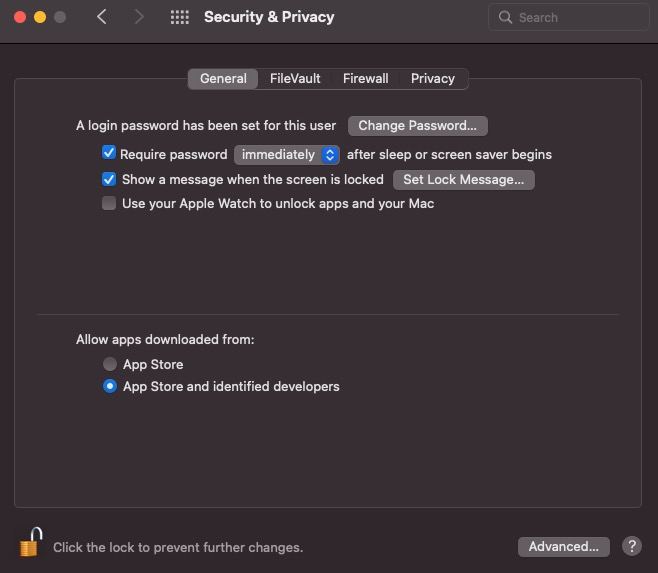
1. Open System Preferences > Security & Privacy
2. In Security & Privacy, click the log icon and enter your Mac username and password
3. Go to Privacy Tab > Accessibility and check “TeamViewer Quick Support” to grant TeamViewer access for the remote session.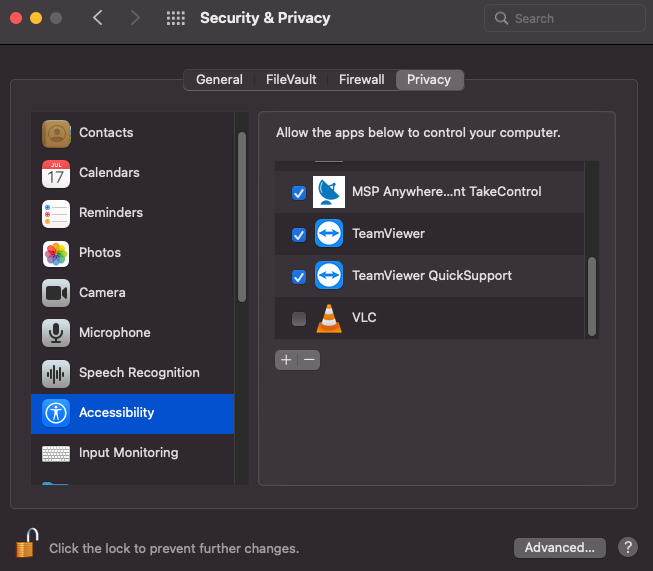
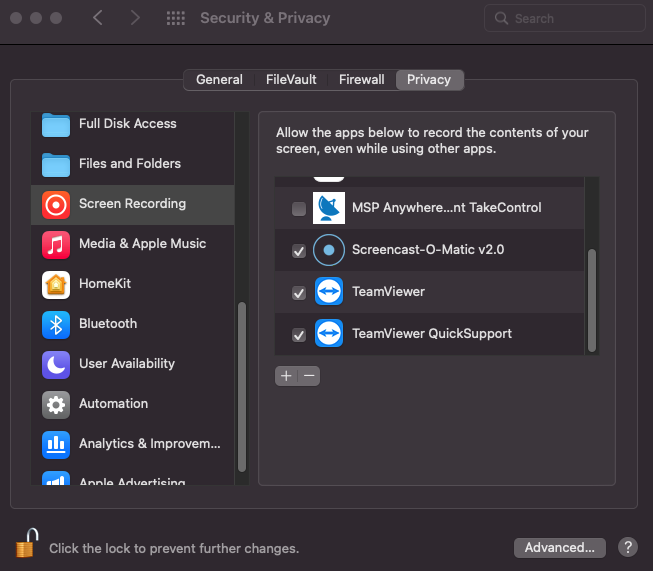
4. Go to privacy tab > Screen recording and check “TeamViewer Quick Support” to grant TeamViewer access for the remote session.