
There are upcoming maintenance events which may impact our services. Learn more
Dev License: This installation of WHMCS is running under a Development License and is not authorized to be used for production use. Please report any cases of abuse to [email protected]

OneDrive - Manual Sync OneDrive Print

  • 197

If you experience a delay on OneDrive sync, you can follow the below step to manually Sync OneDrive.

  1. Click on OneDrive Icon
  2. Click on Help&Setting
  3. Click on Pause Syncing and select 2 hours
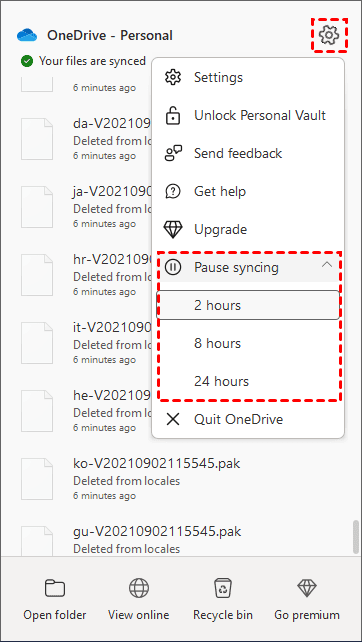
    pause-syncing.png
  4. The message "Your files are not currently syncing will appear to resume syncing for OneDrive, you could go to OneDrive Help & Settings > Resume Syncing.
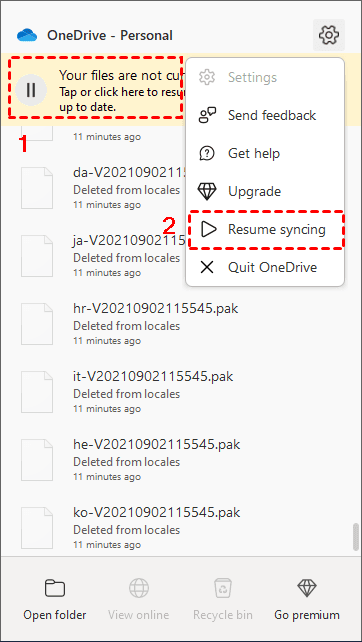
    Resume Syncing

Was this answer helpful?

« Back

Powered by WHMCompleteSolution
