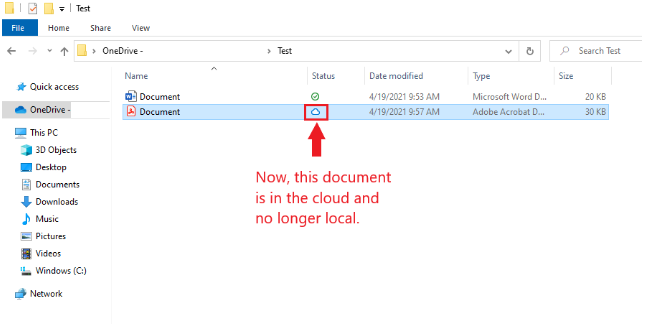
Below are the steps to free up space from locally available OneDrive files
- Open File Explorer
- Navigate to your OneDrive Folder/file that you do not need to store locally
- The File/folder that is stored Locally will have green checkmarks
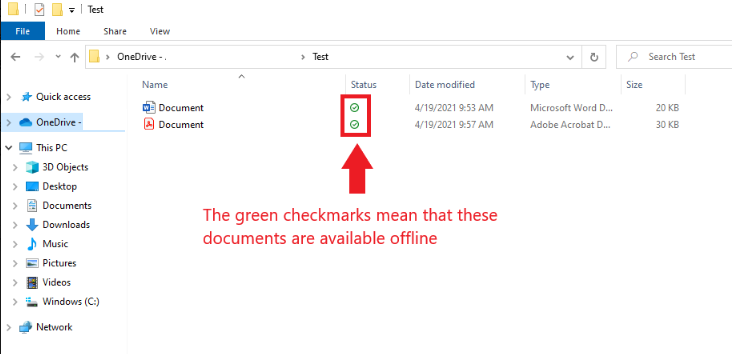
- The File/folder that is stored Locally will have green checkmarks
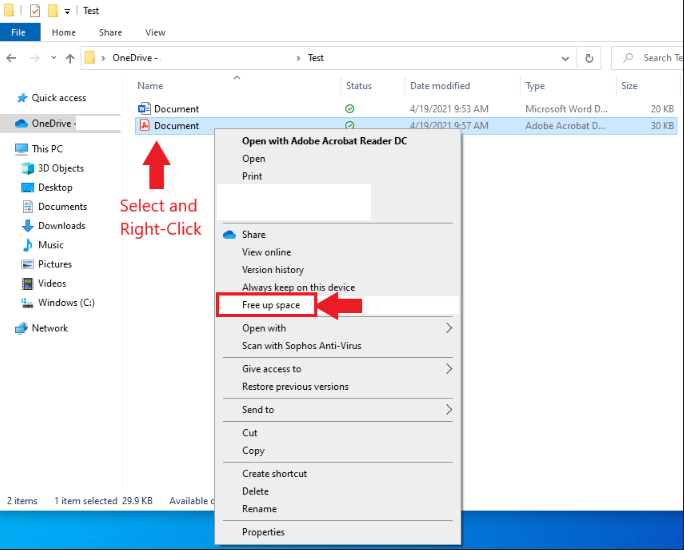
- Right Click on the File/Folder
- Select the "Free up space" option
- The document will sync and be backed up to the cloud indicated by the white cloud with the blue outline.